Read whether the scene wants a photo or a flash
The THRESHOLD camera handles different Story tasks. Early in Episode 1, you must photograph the entity’s face before the carry objective for Mom. Later, the hallucination defense asks you to respond to threats with a flash. Aim and act for the task currently on screen instead of using the camera indiscriminately.
A photo effect alone does not prove that the opening objective is finished. Check whether the instruction changes. During defense, finish the current response and resume scanning; the scene is not necessarily over after one flash.
Complete the opening face photograph
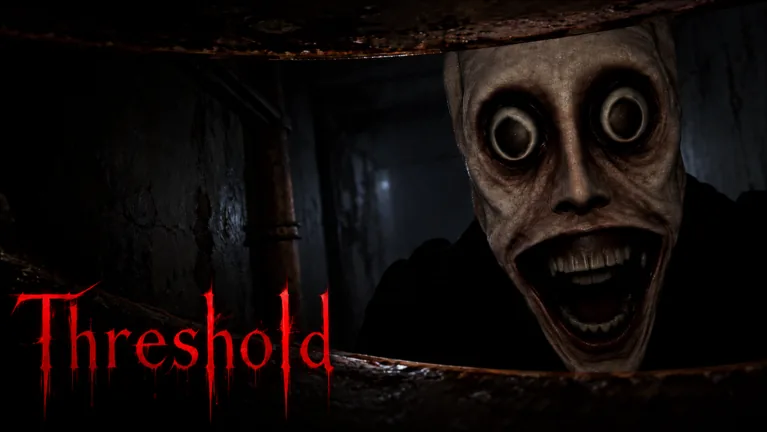
When the game asks for a photo of the entity’s face, bring the face into your aim and take the requested picture. Avoid spending the action on the room around it. Watch for the next objective, including the carry instruction, to confirm that the photo worked.
Use this short check if the scene does not progress:
- Read the active objective.
- Confirm that the face, not a nearby surface, is your target.
- Check the camera’s current state and displayed interaction.
- Perform the photograph and look for the handoff.
If the carry instruction is already active, stop retaking the picture. Use the interaction for Mom and follow the destination currently shown. The rescue guide covers that route handoff.
Treat flash defense as a separate job
The later hallucination scene introduces a defense instruction. Watch approaching threats and use the flash when that task calls for it. Then look across the scene again, including the side you were not just watching.
| Camera situation | Useful decision |
|---|---|
| Face-photo objective remains active | Aim at the requested face and verify the handoff |
| Carry objective appears | Switch to the carry interaction |
| Hallucination defense begins | Watch approaches and respond to the flash instruction |
| A figure is distant or misleading | Read the current approach cues instead of flashing every shape |
| A flash has just completed | Resume scanning and check the camera’s state |
Do not turn one defensive scene’s resource behavior into a rule for the whole episode. Watch the status you actually have. The hallucination guide explains how to track approaches instead of relying on one silhouette shape.
Check resources at the shop
Pick up a Spare battery when the opening route offers one, and check the available batteries during the shop break. Use that quieter moment to inspect your equipment state before following the next objective into darker sections.
The shop also gives a sanity-restoration task involving an Energy drink. Finish it separately from the battery check. A battery pickup does not tell you whether the sanity instruction is complete, and a drink does not tell you that the camera is ready.
When the camera shows a recharge or resource message, read it before trying the same action again. Do not plan every scene around a fixed cooldown value from somebody else’s recording. Check the current interface.
Read the battery guide for collection and preparation. This page focuses on choosing the correct camera task.
Avoid using the camera to solve every problem
Story also includes circle inputs, sliding, vehicle arrows and route decisions. Those need their own actions. Flashing while a window arrow is waiting will not complete that arrow, and photographing the supermarket will not resolve conflicting directions.
Before using the camera, check what the current instruction asks you to do. If it asks for the face photograph, aim for that. If it asks for defensive flashing, watch the threat. If the task is movement or another input, put your attention there.
That distinction is especially useful near the dark finale. Prepare resources beforehand, but follow the escape instruction when it arrives. Trying to test the camera on every dark corner can distract you from the route you need to finish.
FAQ
What must I photograph at the start of Episode 1?
The objective asks for the entity’s face. Aim there, take the picture and check for the change to the carry task.
How do I know the opening photo worked?
Look at the active objective. If the game is asking you to carry Mom, continue with that task instead of repeatedly retaking the photo.
Is the later flash task another face photograph?
Treat it as a separate defense scene. Watch the current threats and follow the flash instruction rather than repeating the opening procedure.
Does the camera always have the same recharge time?
Read the current resource or recharge display. Do not assume that one scene’s behavior establishes a fixed value for the whole game.