Photograph the face before trying to carry Mom
For the THRESHOLD rescue Mom objective, complete the face photograph first, then use the carry interaction and follow the destination displayed by the game. Read the active instruction after each step. Finish the photo objective so the scene can move on to carrying her.
This is the opening Story task in Episode 1. Follow it in Story, rather than as a Chase objective. Completing it does not confirm a separate save-Mom ending.
Prepare before the encounter
Around the opening Blox Street 12 route, check the reachable Spare battery before moving into the face-photo task. Then focus on the objective instead of exploring every room while the encounter is active.
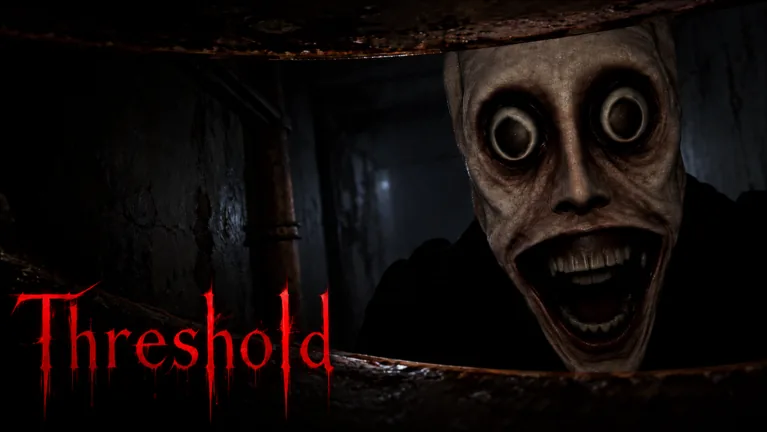
Use the camera when the instruction calls for it. Aim at the entity’s face, not merely the surrounding scene. Take the requested photograph and check whether the carry instruction appears.
| What the objective says | What to do |
|---|---|
| Take a photo of the entity’s face | Aim at the face and complete the photograph |
| Carry Mom | Use her carry interaction |
| Follow the displayed destination | Move along that route with her |
| A new task appears after the encounter | Stop repeating the carry task and follow the handoff |
Use the objective text to confirm your progress. A flash effect or a frightened reaction does not tell you which step registered.
Carry her toward the current destination
Once the carry instruction is active, complete the pickup and move toward the destination your game shows. Stay on that route. Do not stop to test unrelated interactions or search for future collectibles while carrying her.
When you arrive or a scene interrupts the route, look at the new objective before doing anything else. The Story continues through a disruption and then a paper-fragment search. Treat that change as progression into the next task rather than proof that you must repeat the entire opening.
The Episode 1 walkthrough places this rescue in the full sequence. For the next collection task, use the paper-fragment guide.
Diagnose the unfinished step
If you cannot progress, inspect the instruction that is still on screen. Each state points to a smaller problem than starting over blindly.
| Symptom | Check before repeating |
|---|---|
| Carry interaction is not the current task | Whether the face photograph completed |
| Photo objective remains active | Aim and camera interaction |
| Carry objective remains active | Whether the pickup or destination step is unfinished |
| The scene changes unexpectedly | New instruction after the transition |
Do not keep taking pictures after the carry task has started. Equally, do not assume that walking close to Mom completed the pickup. Use the interaction shown and verify the objective afterward.
If the camera displays a resource or recharge message, handle that current state before repeating the action. The camera guide explains the difference between this photograph and later flash defense.
Continue the Story without inventing an ending condition
The opening is unsettling because the carry attempt is followed by more events. Stay focused on what the game asks next. Feeling that the rescue went wrong does not reveal a hidden-ending condition.
Do not assume you need a special camera timing, an unlisted item or a different destination to unlock a perfect rescue. Follow the present objective and continue into the paper search when it appears.
On your first clear, learn when the photo objective changes to carrying Mom and what follows that task. That knowledge helps you replay the opening without losing time to the wrong interaction.
FAQ
Can I carry Mom before taking the photograph?
Follow the face-photo objective first. Use the carry interaction when the game changes to that task.
What should I photograph?
The opening instruction asks for the entity’s face. Check the objective afterward to confirm that the handoff registered.
Where should I carry her?
Follow the destination displayed in your current Story scene. Do not substitute a route from another objective.
Does this task unlock a separate save-Mom ending?
Do not treat the opening carry objective as proof of another ending. Continue with the Story’s next instruction and check the actual episode result.